We Gave Your Travel Photos a Second Life (And AI Did the Heavy Lifting)
I have somewhere north of 12,000 travel photos on my phone. Maybe 20 of them have ever been posted or shared anywhere. The rest sit in my camera roll, buried between screenshots of boarding passes and accidental photos of my pocket.
This is not a storage problem. I have plenty of space. It is a motivation problem. The gap between “I took a great photo in Santorini” and “I turned it into something I actually want to share” is enormous. And most travelers I talk to feel the same way.
You come home from an incredible trip with hundreds of photos. You scroll through them once, maybe twice. You tell yourself you will organize them later, edit the good ones, put together an album. And then life happens. The photos stay exactly where they are, unsorted and unshared, slowly getting pushed further down the camera roll by grocery lists and work screenshots.
We built something to fix that.
The Real Problem with Travel Photos
Taking photos has never been easier. Every phone in every pocket shoots photos that would have been professional quality ten years ago. The hardware is not the issue.
The issue is what happens after you take the photo. If you want to turn a good travel photo into something that feels polished, something worth framing or sending to a friend, you need to open an editing app. Adjust the lighting. Crop it. Maybe add a border or some text. If you are ambitious, you open Canva and start dragging elements around a template.
Most people do not do any of that. Not because they are lazy, but because the effort-to-reward ratio is off. You spend fifteen minutes editing a photo and the result looks marginally better than the original. The tools are built for designers and content creators, not for someone who just wants their sunset photo to feel like something special.
So the photos sit. Thousands of them across millions of phones, representing billions of moments that never get shared, revisited, or celebrated. That felt like a problem worth solving.
What Postcards Do (and What They Do Not Do)
The new postcard feature in the Travel by Trinidad app is not a filter. It is not slapping a preset over your photo and calling it done. And it is not a template where you drag your image into a pre-made layout.
What it does is fundamentally different. You give the AI a photo and a style direction, and it reimagines the entire composition. The result is something new, something that feels intentionally designed, while still being unmistakably your photo and your memory.
There are eleven style directions to choose from, and each one transforms the same photo into something completely different. Two are free to use, and the rest come with a Pro subscription.
Watercolor gives your photo a soft, painted quality with floral detail around the edges. It feels handmade, like someone sat down with a brush and turned your vacation into a greeting card. This one is free to try.
Vintage adds retro postcard textures and warm tones. Think faded colors, slightly worn edges, the kind of postcard your grandparents would have sent home from a road trip. Also free.
Film recreates the look of 35mm photography. Cinematic grading, natural grain, the kind of framing that makes a cruise port look like a scene from a movie. If you took a photo of a narrow street in Rome at golden hour, or a ship cutting through open water at sunset, film turns it into something that belongs on a wall.
Dreamy leans into pastels, soft bokeh, and an ethereal glow. Everything looks lighter, warmer, slightly otherworldly. This one works beautifully for sunsets, beach mornings, and any photo where the light was already doing something magical.
Bold brings graphic poster energy with strong contrast and saturated colors. It takes a good photo and gives it that punchy, editorial look. If you want your postcard to grab attention, this is the one.
Minimal strips everything back. Refined lines, clean whitespace, quiet luxury. The photo does the talking and the design stays out of the way. Perfect for architecture shots, landscapes, and anyone who thinks less is more.
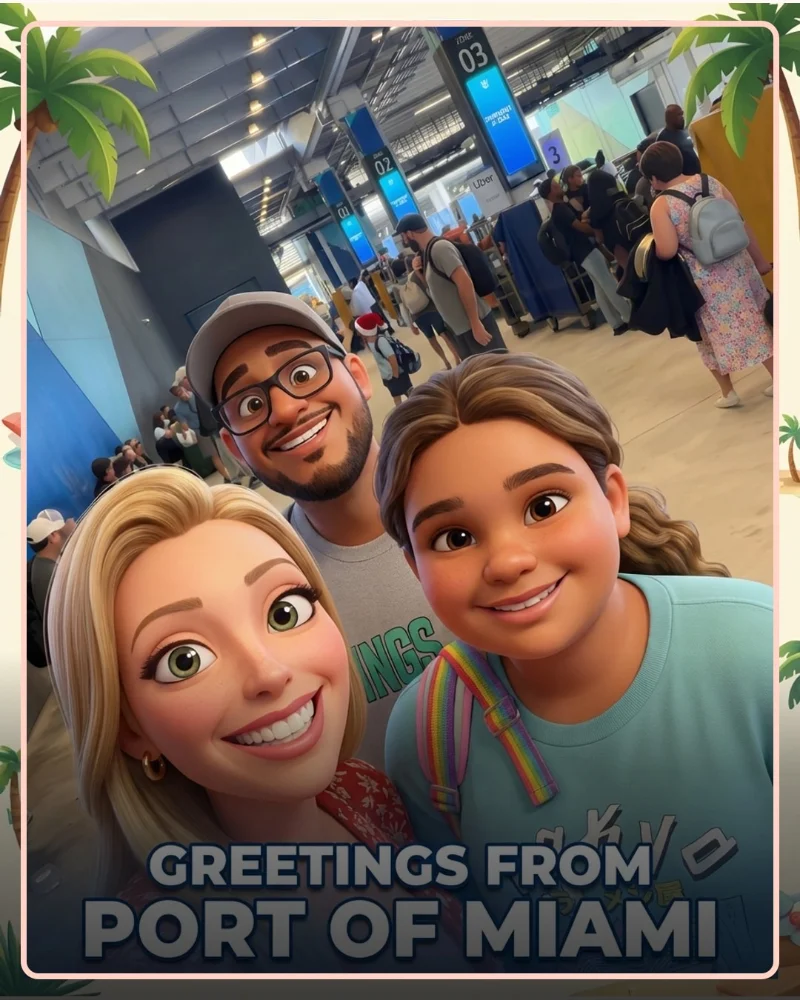
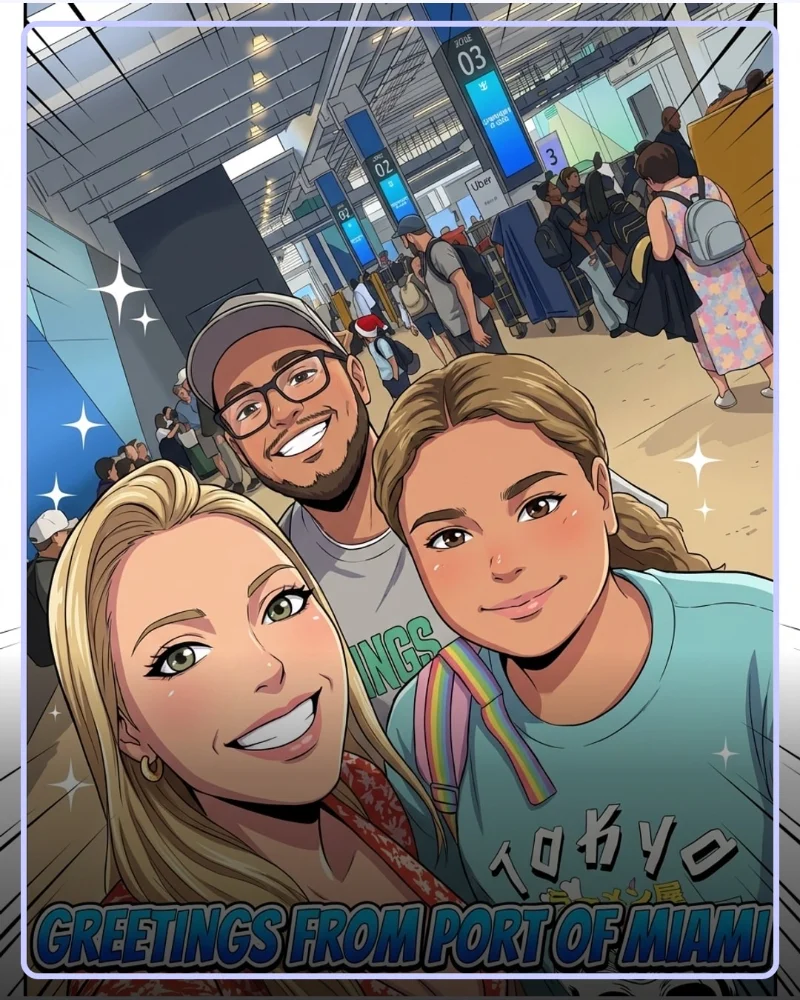
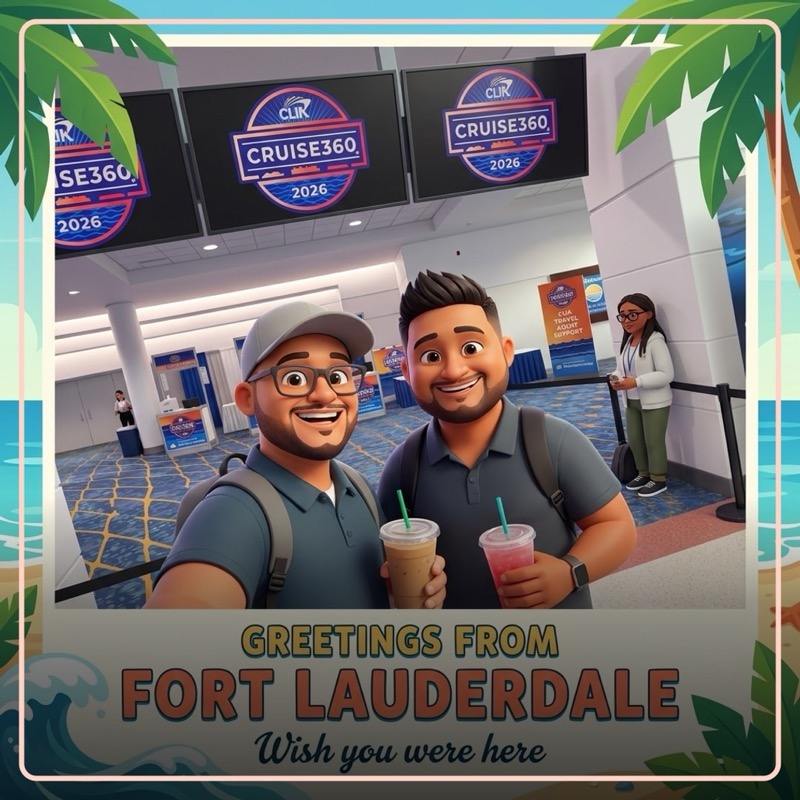
Cartoon 3D is where things get fun. It reimagines your photo as a 3D cartoon, Pixar-style, while preserving the faces and details that make it yours. The Port of Miami selfie below was run through this style. Same people, same place, completely different energy.
Anime transforms your photo into an anime-styled scene. Bold lines, stylized features, the visual language of Japanese animation applied to your actual travel moments. The second example below is this style in action.
Comic goes full graphic novel. Bold inks, dramatic shading, halftone textures. Your vacation photo becomes a comic book panel.
Clay gives everything a claymation feel. Tactile lighting, soft shapes, the kind of look that makes you want to reach into the screen and touch it. Surprisingly charming for group photos and food shots.
And if none of those fit what you are imagining, there is Custom. Describe your own style direction in plain language. Tell the AI you want “oil painting in the style of the French Impressionists” or “neon cyberpunk with rain reflections” and it will follow your lead. No presets, no limitations, just your vision applied to your photo.
The same photo run through different styles produces genuinely different results. Not slightly different color grades. Completely different visual interpretations of the same memory.
How It Works
The process is deliberately simple. Three steps, no learning curve.
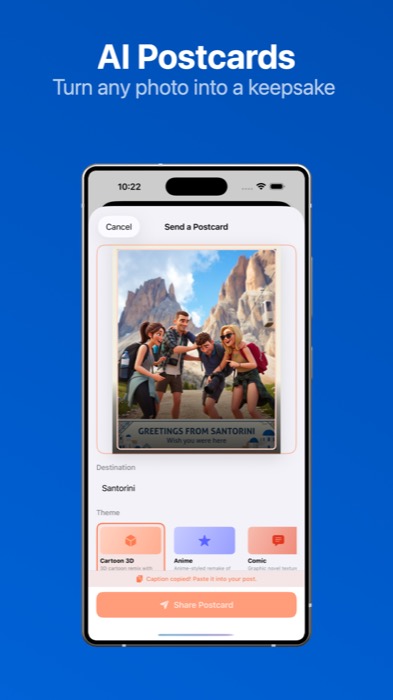
Step one: Open a trip photo in the app. This can be a photo from an active trip or from a completed trip’s Time Capsule. Any photo you have stored in the app is fair game.
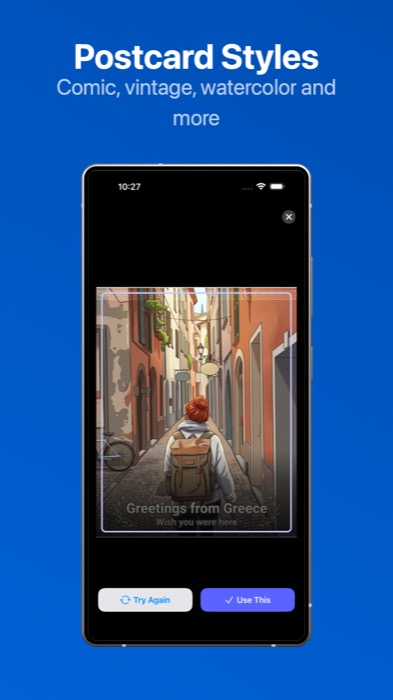
Step two: Pick your style. You will see all eleven options and can choose the one that fits the mood of the photo. If none of the presets feel right, choose Custom and write your own style direction. Tell the AI exactly what you are looking for in plain language and it will follow your lead.
Step three: Tap “Generate Postcard” and let Miggs handle the rest.
Within seconds, you have a styled postcard version of your photo. But here is the part that surprised even me during development: Miggs also writes a caption to go with it.
The caption has its own tone settings — balanced, playful, cinematic, luxury, or nostalgic — so you can mix and match. A cartoon 3D postcard with a playful caption. A watercolor postcard with a nostalgic caption. A film postcard with something cinematic. You pick the combination that feels right.
You can use the caption as-is, edit it, or ignore it entirely. But having a well-written starting point means you are not staring at a blank text field trying to think of something clever to say about your vacation photo.
The Technology (Briefly)
The postcard feature is powered by the latest in image generation technology. It runs in seconds, right inside the app. You do not need to download another app, create an account with a third-party service, or paste your photo into some website. Everything happens within the Travel by Trinidad app.
We intentionally kept the technology invisible. You should not have to know or care about what model is running behind the scenes. You pick a photo, pick a vibe, and get a result. That is it.
Why This Matters for How We Remember Trips
Last year, we launched Time Capsule as a way to preserve your trip photos after a journey ends. The idea was straightforward: your trip photos deserve better than being scattered across your camera roll, slowly forgotten as new photos pile on top of them. Time Capsule seals those photos into a dedicated collection tied to your trip, a keepsake you can return to whenever you want.
Postcards build on that same philosophy but push it further. Time Capsule preserves the memory. Postcards give that memory a second life.
Think about it this way. You took a photo of the Amalfi Coast from your hotel balcony. It is a good photo. Time Capsule keeps it safe, organized with the rest of your trip. But that photo, run through the cinematic style, becomes something you would actually print and frame. Run it through nostalgic and it becomes something you would text to your mom with a note that says “remember this morning?” Run it through luxury and it becomes something worth posting.
The photo already existed. The memory was already there. The postcard just gives you a reason to do something with it.
This connects to a broader belief we hold at Travel by Trinidad: travel memories deserve more than a camera roll. They deserve to be revisited, shared, and celebrated. Not once, in the moment, but repeatedly, long after you have come home. The app was built around that idea, and postcards are the latest expression of it.
What People Are Already Doing with Them
Since we started testing postcards internally, a few patterns have emerged that I did not fully anticipate.
Some people are using them as thank-you cards. They took a group photo on a trip, ran it through a style, and sent it to the people they traveled with. It takes thirty seconds and feels infinitely more personal than a text message.
Others are using them for social media. The styled postcards, especially cinematic and luxury, produce images that look like they were created by a professional. The AI-generated caption gives people a starting point so they are not agonizing over what to write.
A few clients have told me they are printing them. Actually printing them. One client ran a sunset photo from their anniversary cruise through the nostalgic style and had it printed as an 8x10 for their living room. That was not something I planned for, but it makes perfect sense. These postcards are designed to be beautiful enough to exist outside of a screen.
And honestly, the simplest use case might be the best one. Someone opens the app, picks a photo from their last trip, generates a postcard, and sends it to a friend. “Thinking about this trip.” That is it. That is enough.
Try It Yourself
The postcard feature is live now in the Travel by Trinidad app. If you already have the app, update to the latest version and you will find it in your trip photos and Time Capsule. If you do not have the app yet, it is a free download on the App Store and Google Play.
Pick a photo from your last trip. Or your best trip. Or that one photo you always meant to do something with but never did. Choose a style, let Miggs work, and see what comes back.
If you want to read more about the app and why we built it, the original launch post covers the full story.
Your photos are already good. This just gives them somewhere better to go.